
Separate the DLC from the base-game updates
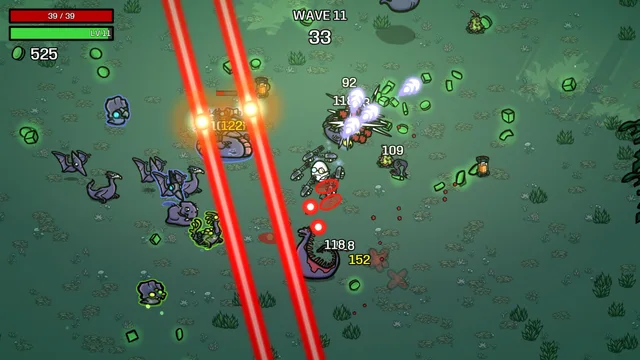
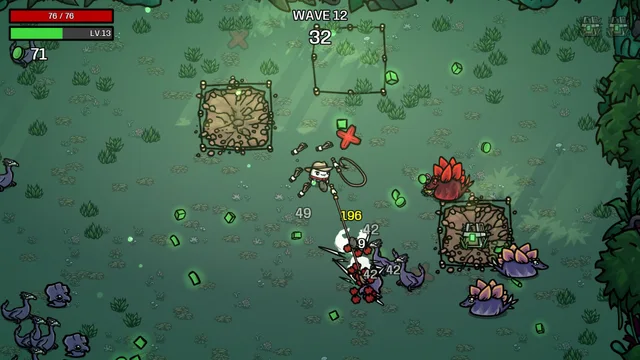
Primal Dread requires Brotato. Its official content outline promises a new jungle map and additional run-building content. A returning player may also be encountering free updates released since their last session. Keep those two categories distinct before treating every unfamiliar menu entry as an expansion requirement.
For example, All Pain No Gain introduced Nightmare months before this DLC’s announced launch. Its presence is evidence of a base-game update, not proof that you have started a Primal Dread run. Read the selected content and the actual run screen. That simple check prevents an old screenshot, a different map or a difficulty label from standing in for the mode you intended to play.
Check compatibility before diagnosing the run
The developer’s All Pain No Gain announcement warned about outdated mods and recommended using ones that clearly state version compatibility. That remains a useful question for an updated installation: what has changed, and which additions explicitly support it? Do not assume that a mod working in a previous session certifies every future combination.
Use the game and platform’s ordinary management options, and keep unfamiliar troubleshooting separate from a serious progression attempt. This guide does not ask you to move saves, download replacement files or copy a stranger’s configuration. If something behaves unexpectedly, record the version, active additions and exact symptom before deciding it is a character-balance problem.
Make a three-column returning-player note
| Already familiar | Changed or unfamiliar | Question for this session |
|---|---|---|
| A control or weapon you understand | A new effect or revised description | What changed in the current tooltip? |
| The basic wave-and-shop rhythm | The new map’s visual signals | Which threat is closing my routes? |
| A favourite character idea | A restriction or different available offer | Does the present setup still support that idea? |
Keep the note short enough to use. The point is to stop old confidence from silently replacing current information. A familiar name can help you orient yourself, but the wording and behavior in the running version deserve another look.
Rebuild a baseline before a complicated experiment
Start with a setup you can read. Choose one new system to explore and let the rest remain as familiar as the available options allow. If your first return combines an unfamiliar character, a higher challenge, several new effects and a new control method, the result will be difficult to explain even when it succeeds.
We would use the first session to recover observation habits: reading an offer completely, noticing the next open lane and identifying what the next purchase should solve. That is not a prescribed optimal build. It is a way to make later experiments meaningful, because you will know which part of the experience actually changed.
Use current text to settle an old assumption
When memory and the game disagree, inspect the current description first. Record the exact name, condition and context that differ. Then look for a dated developer update, rather than treating the oldest search result as the final authority. Old guides can explain an idea while still describing a different balance state.
End the session with one useful result: an interaction understood, a hazard recognised or a concrete question ready for the next attempt. A returning run does not need to prove that you still remember every detail. It should leave you better prepared than when you opened the game. Use the other field notes to turn that question into a smaller plan.
BEFORE THE NEXT WAVE
Pack one good plan.
0 / 5 steps checked
A FEW USEFUL ANSWERS
Before you go.
Do I need Nightmare to begin learning the DLC?
The reviewed DLC listing does not state Nightmare as a prerequisite. Read the actual launch access conditions; do not invent a difficulty gate from a separate update.
Will every old build guide still apply?
An old guide can offer an idea, but restrictions, effects and available content need checking in the current game. A familiar build name is not compatibility evidence.
Does this checklist repair an installation?
No. It helps separate content selection, compatibility and gameplay questions. Use the official support route for a reproducible technical problem.
SOURCE REVIEW / 2 NOVEMBER 2026
Source notes.
Source review, before unlock. Officially announced systems, with our original planning advice. Exact launch values and unlock tasks await the released game.
- Primal Dread — official Steam listing ↗Publisher content outline, base-game requirement and launch date.
- Evil Empire — All Pain No Gain, 12 May 2026 ↗Released base-game Nightmare content, environmental-projectile accessibility options and the warning about incompatible mods.
- Brotato — official base-game reference ↗The underlying run, weapon and shop structure; not a DLC balance reference.